


4th - 5th Grade
4th - 5th Grade Computational Thinking Units


Unit 4: Vaccine Insulation with Microbit


UNIT 1: Electrical Systems MicroBit Unit
Unit Overview:
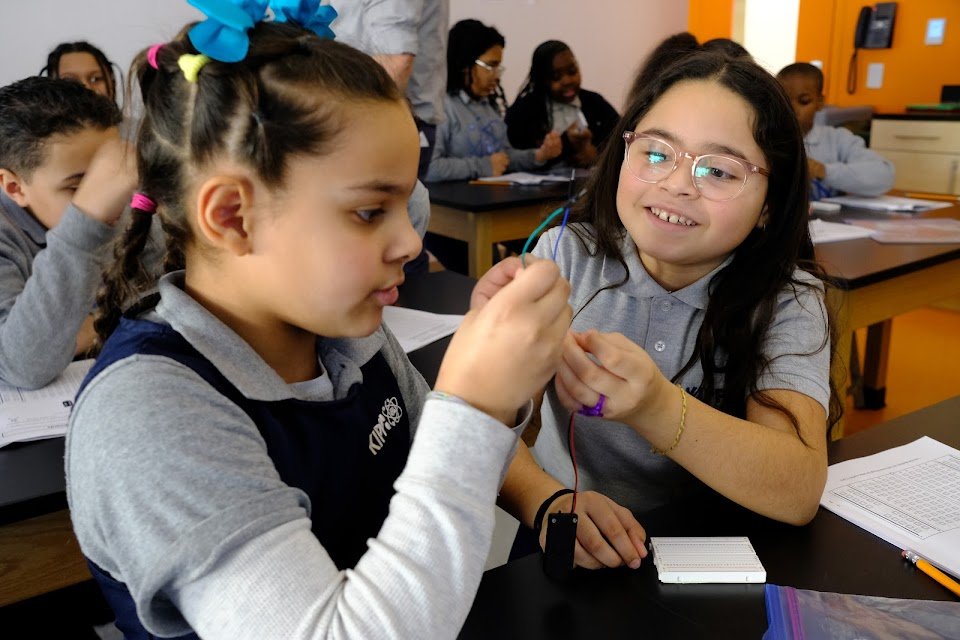
In this unit, students will explore electrical engineering and computer science in more depth. They will work on creating a model of an electrical grid to investigate the blackout. The unit starts with students dismantling simple electronic devices to understand electronic components better. Then they will build basic electric circuits using different materials and components, and create their own conductors and switches. Students will also learn to program a MicroBit chip to enhance their circuits and program working stoplights. Finally, they will apply what they've learned to build a model electrical grid and explore potential reasons for the blackout.
Standards:
4-6.CT.1: Develop a computational model of a system that shows changes in output when there are changes in inputs.
4-6 .CT.3: Visualize a simple data set in order to highlight relationships and persuade an audience.
4-6.CT.4 Decompose a problem into smaller named tasks, some of which can themselves be decomposed into smaller steps.
4-6.CT.5: Identify and name a task within a problem that gets performed multiple times while solving that problem, but with slightly different concrete details each time.
4-6.CT.6: Compare two or more algorithms and discuss the advantages and disadvantages of each for a specific task.
4-6.CT.7: Identify pieces of information that might change as a program or process runs.
4-6.CT.8: Develop algorithms or programs that use repetition and conditionals for creative expression or to solve a problem.
4-6.CT.9: Explain each step of an algorithm or program that includes repetition and conditionals for the purposes of debugging.
4-6.CT.10: Describe the steps taken and choices made to design and develop a solution using an iterative design process.
UNIT 2: Toy Animals Microbit Unit
Unit Overview:
In this unit, students engage in hands-on learning as they create interactive animal toys using sensors to mimic the way real animals respond to external inputs. Throughout the unit, they will utilize their knowledge of programming micro:bit hardware in MakeCode to effectively code input and output devices. In addition to programming, students will work collaboratively to construct a toy bat. As a culminating activity, they will be tasked with the challenge of designing, coding, and engineering an interactive toy animal with sense-based responses, as well as creating a comic book to showcase their creations. It's important to note that this unit is compatible with both micro:bits V1 and V2.
Standards:
4-6.CT.1: Develop a computational model of a system that shows changes in output when there are changes in inputs.
4-6 .CT.3: Visualize a simple data set in order to highlight relationships and persuade an audience.
4-6.CT.4 Decompose a problem into smaller named tasks, some of which can themselves be decomposed into smaller steps.
4-6.CT.5: Identify and name a task within a problem that gets performed multiple times while solving that problem, but with slightly different concrete details each time.
4-6.CT.6: Compare two or more algorithms and discuss the advantages and disadvantages of each for a specific task.
4-6.CT.7: Identify pieces of information that might change as a program or process runs.
4-6.CT.8: Develop algorithms or programs that use repetition and conditionals for creative expression or to solve a problem.
4-6.CT.9: Explain each step of an algorithm or program that includes repetition and conditionals for the purposes of debugging.
4-6.CT.10: Describe the steps taken and choices made to design and develop a solution using an iterative design process.
UNIT 3: Video Game Design Scratch Unit

Unit Overview: (It is recommended that the Scratch Jr Video Game design is completed prior)
In this unit, students learn Scratch to create an interactive video game and make a controller. They explore look, motion, and control blocks, create an obstacle course, a bouncing ball game, and a sports-themed game. They also design a game related to natural hazards. They then learn about Makey Makey, turning objects into conducting buttons, and design their own controller to pair with their game, connecting software and hardware. Students leverage all of the skills they have learned in computational thinking to design, engineer, and present their final projects.
UNIT 4: Vaccine Insulation with MicroBit Unit

Standards:
4-6.CT.1: Develop a computational model of a system that shows changes in output when there are changes in inputs.
4-6 .CT.3: Visualize a simple data set in order to highlight relationships and persuade an audience.
4-6.CT.4 Decompose a problem into smaller named tasks, some of which can themselves be decomposed into smaller steps.
4-6.CT.5: Identify and name a task within a problem that gets performed multiple times while solving that problem, but with slightly different concrete details each time.
4-6.CT.6: Compare two or more algorithms and discuss the advantages and disadvantages of each for a specific task.
4-6.CT.7: Identify pieces of information that might change as a program or process runs.
4-6.CT.8: Develop algorithms or programs that use repetition and conditionals for creative expression or to solve a problem.
4-6.CT.9: Explain each step of an algorithm or program that includes repetition and conditionals for the purposes of debugging.
4-6.CT.10: Describe the steps taken and choices made to design and develop a solution using an iterative design process.
Computational Thinking/CS Standards:
4-6.DL.2, 4-6.NSD.2, 4-6.NSD.3, 4-6.CT.2, 4-6 .CT.3, 4-6.CT.4, 4-6.CT.8, 4-6.CT.10
Next Generation Science Standards:
5-PS1-3, 3-5-ETS1-1, 3-5-ETS1-2, 3-5-ETS1-3
Common Core Math Standards:
5.MD.A.1, 5.MD.C.3, 5.G.A.2
Common Core ELA Standards:
RI.5.1, RI.5.3
A more comprehensive list of standards with descriptions can be found in the unit at a glance document.
Pairs well with:
Amplify Science Modeling Matter Unit
Open Sci Ed 5.2 Matter Properties Unit

Unit Overview:
In this unit, students will take on the role of thermal engineers to build a vaccine carrier and warning system that stores and transports vaccines at a given temperature range and alerts supply chain personnel if a vaccine is in danger of spoiling.
To build the insulating portion of their vaccine carrier, students will use common recycled materials to create insulation for their designs, which must keep their vaccine stored in a particular temperature range. Students will iterate to improve their designs by collecting data and meeting with other groups to give and get feedback.
To develop the warning system component of their vaccine carrier, students will use the DS18B20 temperature sensor with microbit to program a warning system for transporters that signals when the vaccine temperature has changed and is no longer safe to use. The warning system will alert users that the vaccine is stored at an ideal, warning, or spoiled temperature. Students will also use the microbit and DS18B20 to test and collect data on the efficacy of their designs.